326 words [ 37 Screenshots ] [ 2 Versions ] - Last update: 2026-04-22 Page created: 2004-04-03 [SB]
Windows ME
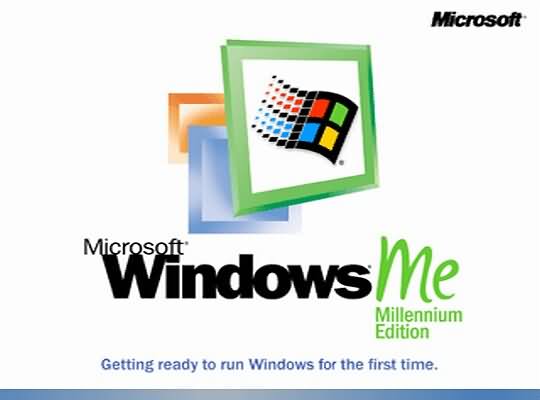 The Windows Millennium Edition operating system is the successor of Windows 98 SE with some selected features of Windows 2000. The system core consists of a few parts of source code from Windows 2000. MS-DOS is furthermore necessary for the system start, DOS driver software are not used under Windows any more.
In comparison with the predecessor Windows 98, new features were added. Now it is possible to create compressed folders who moreover let themselves be encoded (screenshots 3-4). The search function from Windows 2000 was integrated into the Windows ME Explorer, the stability was improved. The Windows Registry was extended by one file for performance reasons. The Registry file Classes.dat is loaded only on demand, System.dat and User.dat are loaded statically. For any logged in user the respective User.dat is loaded from the profile directory. Benchmarks between Windows ME and Windows 2000 with current games have shown that Windows ME reaches slightly higher benchmark result with suitable hardware and driver software. The sales on market started on September 14th, 2000.
Area of application
- PC Games
- private users
- network client, Internet connection sharing
Structure informations
- supports ACPI, Idle states for computer
- integrated Internet Explorer 5.5
- monolithic kernel
- preemptive multitasking
- System file protection and system recovery
- automated system processes
- universal Plug and Play (UPnP)
System Environment
- Minimum Hardware requirements: 32 mbyte RAM, 500 mbyte of free harddisk storage
- up to 512 mbyte RAM addressable
- FAT-16 or FAT-32 File system
- x86 and compatible processors
Features
- simplified network setup in opposition to the predecessor
- increased Stability with system recovery and system file protection
- no 16-bit program code
- Compatibility problems with software for Win9x and driver software
- no common use of Windows 2000 WDM driver software with Windows ME
31th December 2003: Windows ME Support has ended
Free phone support and extended Hotfix-Support has been discontinued by Microsoft.
 |  |  |  |
| Windows ME (Beta 2419) - boot process | (Beta 2419) - original wallpaper | (Beta 2419) - Desktop view | (Beta 2419) - picture preview and compression |
 |  |  |  |
| (Beta 2419) - Compression view for .ZIP archives, the contents are listed automatically | (Beta 2419) - Folder options, protected window instances for a improved stability | (Beta 2419) - extended search function in Explorer | Windows ME 4.90.3000, Setup Wizard |
 |  |  |  |
| Windows ME, Welcome to Setup | Windows ME, select Directory C:Windows | Windows ME, Setup Options Typical, Portable, Compact, Custom | Windows ME, Windows Components |
 |  |  |  |
| Windows ME, Network Identification | Windows ME, change country or region | Windows ME, set your time zone | Windows ME, ready to copying files |
 |  |  |  |
| Windows ME, file copy progress | Windows ME, finalizing settings | Windows ME, setting up hardware | Windows ME, Hardware Detection |
 |  |  |  |
| Windows ME, User Information | Windows ME, License Agreement | Windows ME, Windows Product Key | Windows ME, completing setup |
 |  |  |  |
| Windows ME, Restart Computer | Windows ME, startup screen | Windows ME, login screen | Windows ME, Desktop |
 |  |  |  |
| Windows ME, start menu | Windows ME, home network and Internet Explorer 5.5 | Windows ME, Outlook Express 5.5 | Windows ME, Windows Explorer and Search Assistant |
 |  |  |  |
| Windows ME, Control Panel with standard options | Windows ME, Control Panel with all options | Windows ME, System Properties with Version and MS-DOS Prompt | Windows ME, Performance settings for File System, Graphics and Virtual Memory |
 | |||
| Windows ME, Games, Online Services and Entertainment |
Date - Version
2000 Sept. - Windows ME released2003 Dec. - Windows ME Support discontinued